Design software for landscaping and outdoor companies

Show the homeowner the finished design before you leave the driveway

Take a photo, pick the features, and GroundKit makes a photoreal design, a plan and a priced quote in about 30 seconds. Built for landscapers, pool builders and hardscape crews.

For landscaping companies pool builders hardscape and outdoor living

  • About 30 secondsper design, three options
  • Priced from your listyour own items and prices
  • Homeowner approves onlineone private link

Your photo of the backyard, designed by GroundKit

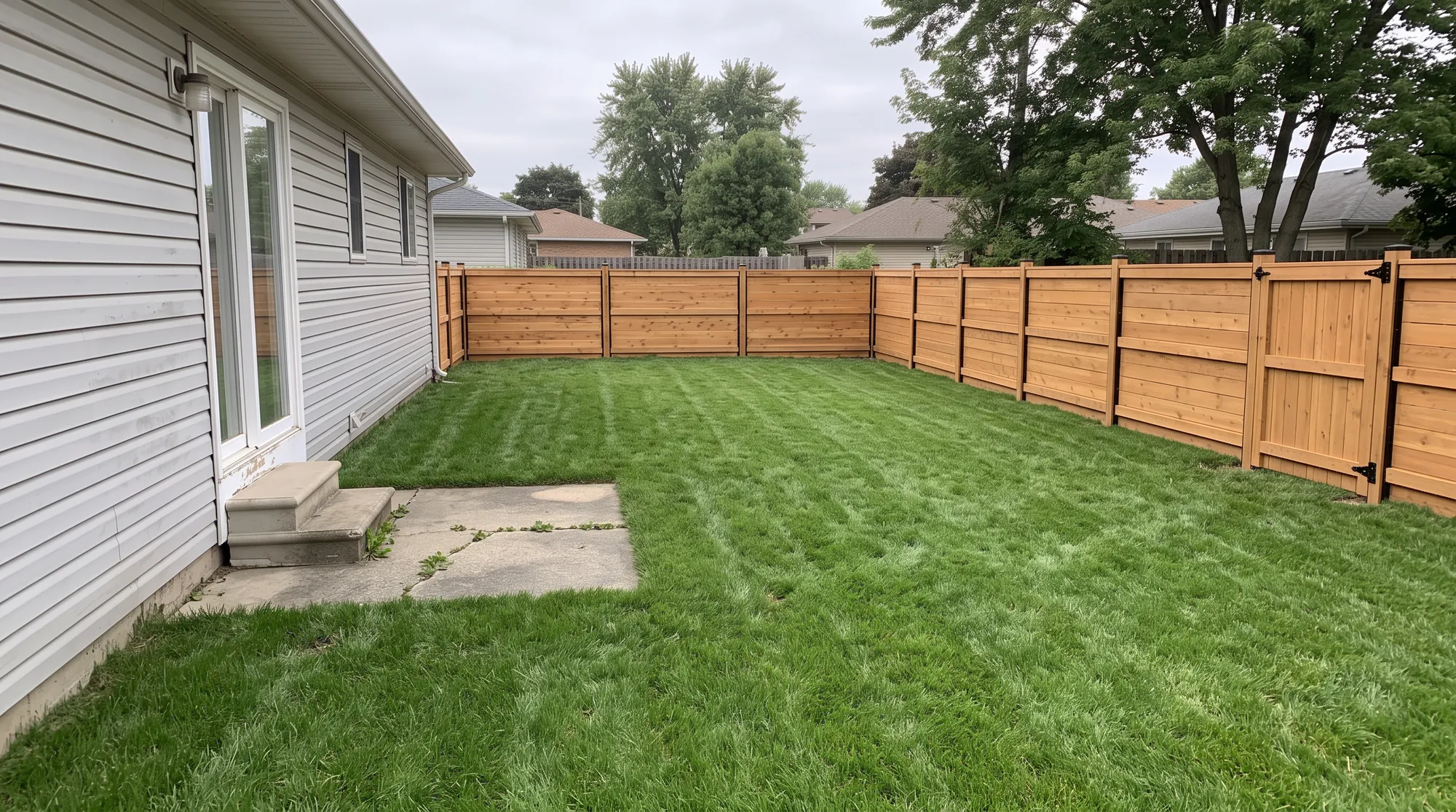
One photo of the property becomes a finished patio and garden design, shot from the same spot. The house, the trees and the neighbour’s roof stay where they are.

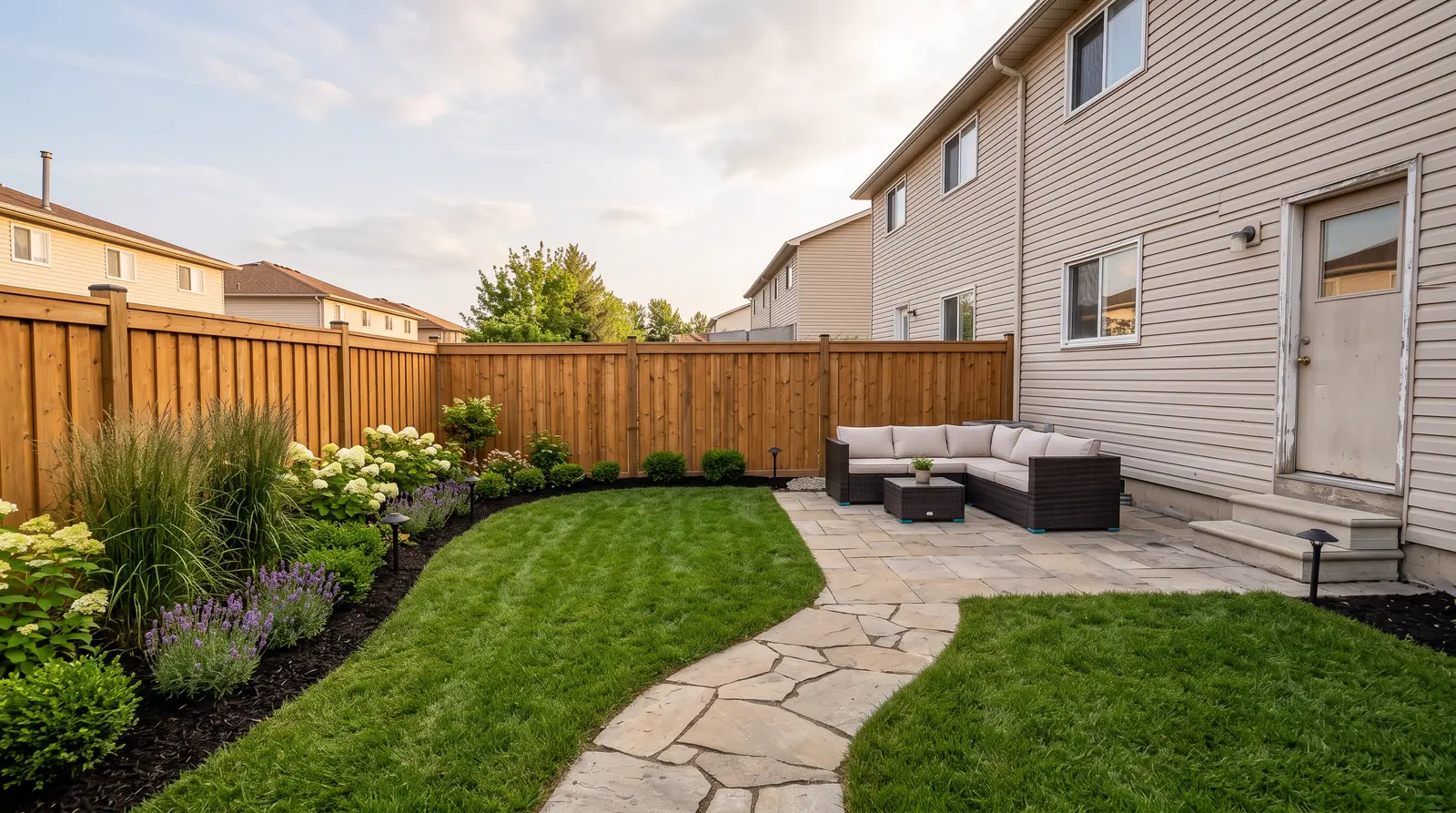
The finished design, from the photo you took

A stone patio, a flagstone path, new lawn, planting beds and a cedar fence, each picked from your price list.

Shown with a before and after slider in the app

How it works: photo, pick, present

  1. Photo10 seconds

    Your crew takes one photo on site with the phone in hand, or uploads one later. The house and anything the homeowner keeps stay where they are.

  2. Pick20 seconds

    Tap one of 27 styles and the features from your own price list: a patio, a fire pit, path lights, up to 40 items.

  3. Present and approveabout 30 seconds

    GroundKit makes three photoreal designs with a plan and a priced quote. Show them before you leave; the homeowner approves online.

    See the plan drawing

GroundKit draws the plan and prices the takeoff

On the Crew plan, the Advanced designer places each element on the photo. GroundKit draws the plan and prices every line from your list, in feet or metres and your currency.

  • Survey the site from its address: satellite view and slope (in development)
  • Measure from a drone photo with real scale (in development)
  • Turn, move and rename anything on the sheet
See the pricing tools

27 design styles for your homeowners, three options per photo

From naturalistic meadow planting to a Tuscan courtyard or a modern farmhouse front yard, each shown by day, at golden hour or at night with the lights on.

27 styles3 options per photo3 kinds of light

  • Low maintenance
  • Modern
  • Lush garden
  • Cottage
  • Mediterranean
  • Desert
  • Japanese
  • Natural
  • Naturalistic (matrix)
  • Wildlife & pollinator
  • Prairie meadow
  • Woodland & shade
  • Water-wise (xeriscape)
  • Green-drenched
  • Desert modern
  • Coastal
  • Spanish Mission
  • Tuscan
  • Mountain & rustic lodge
  • Tropical resort
  • Formal
  • English country
  • Modern farmhouse
  • Mid-century modern
  • Edible garden
  • Cool retreat
  • Courtyard & small space

Built for your outdoor trade

Landscapers, pool builders, hardscapers and design-build firms use one price list and one studio for the whole property: planting, irrigation, decks and pergolas included.

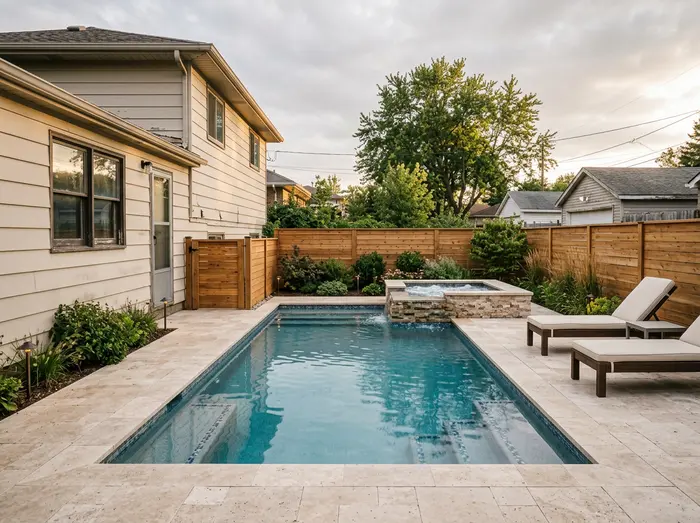
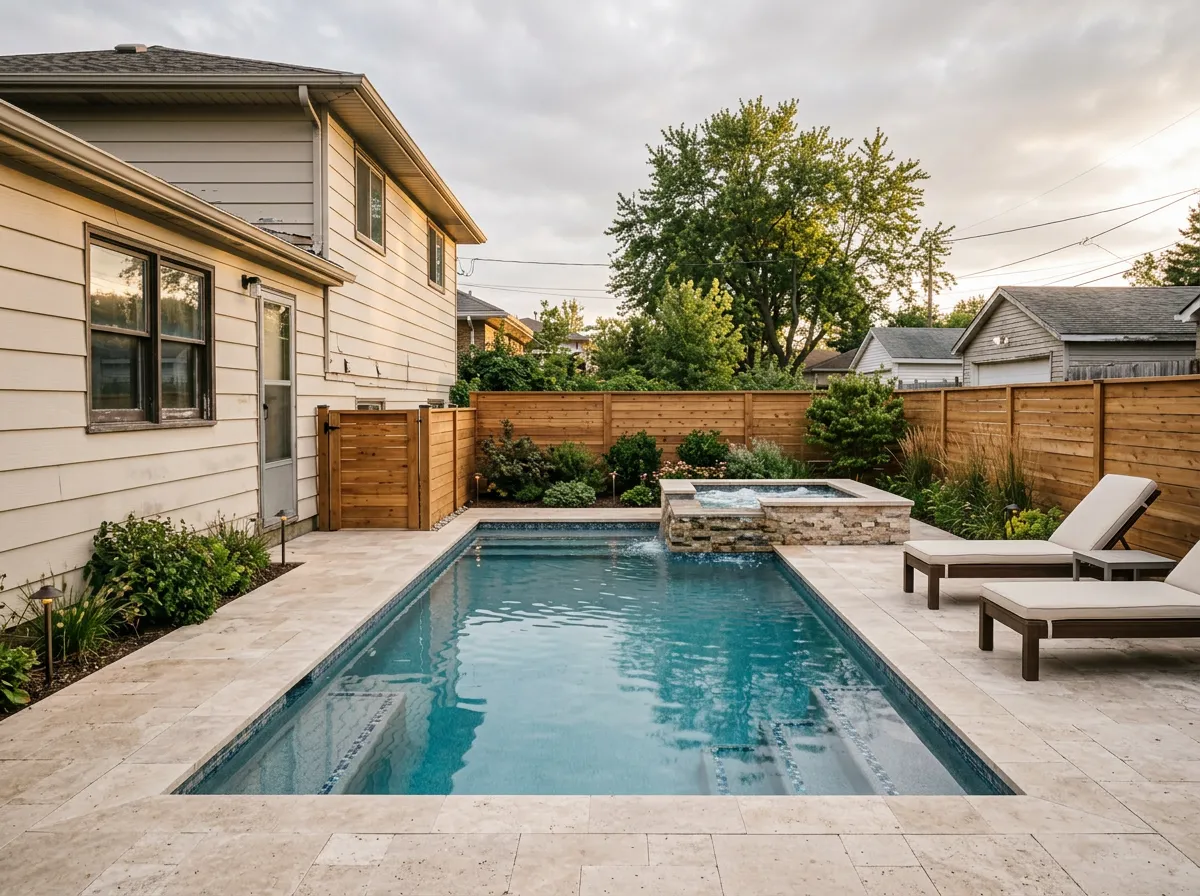
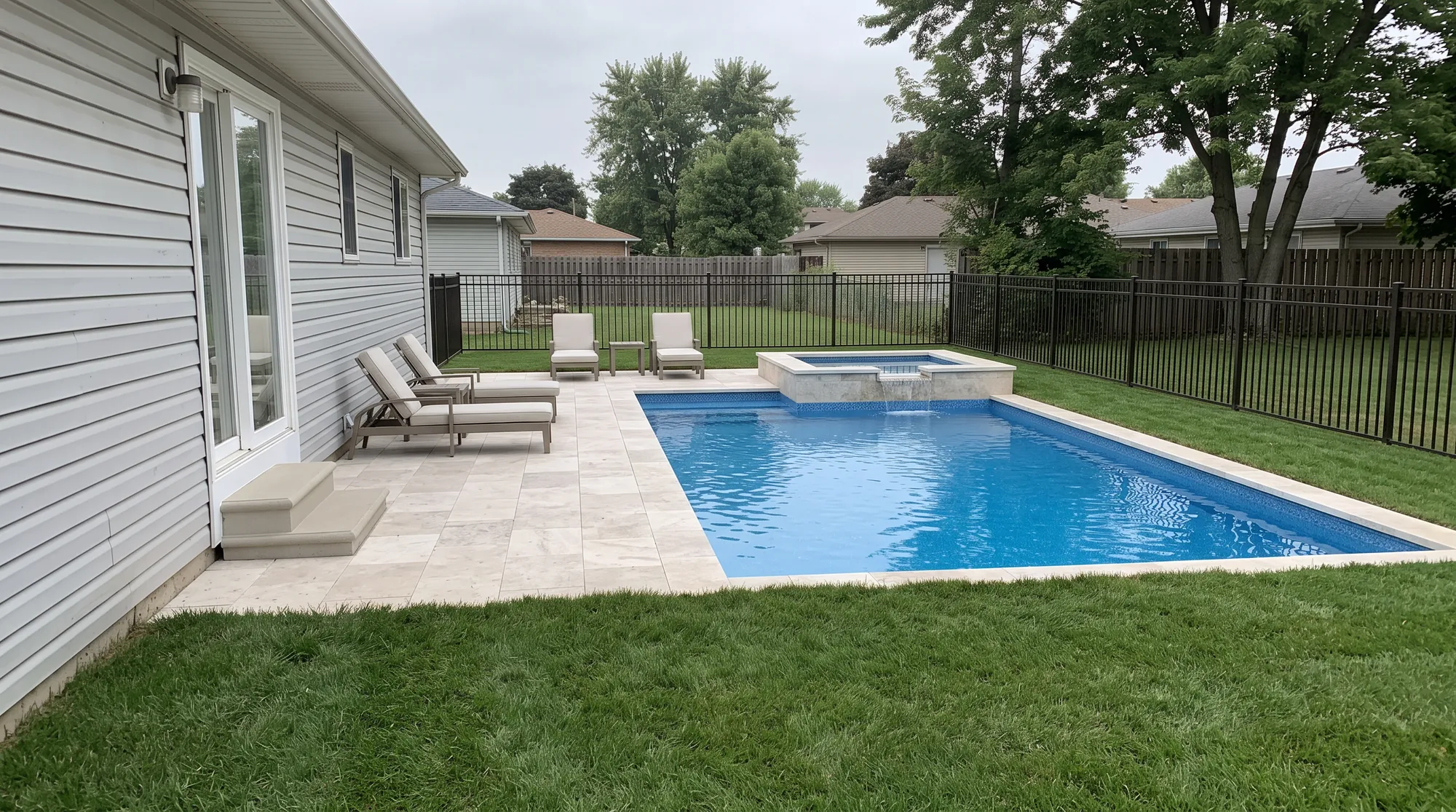
  • A finished pool with a raised spa, travertine deck and planting Pools and spas
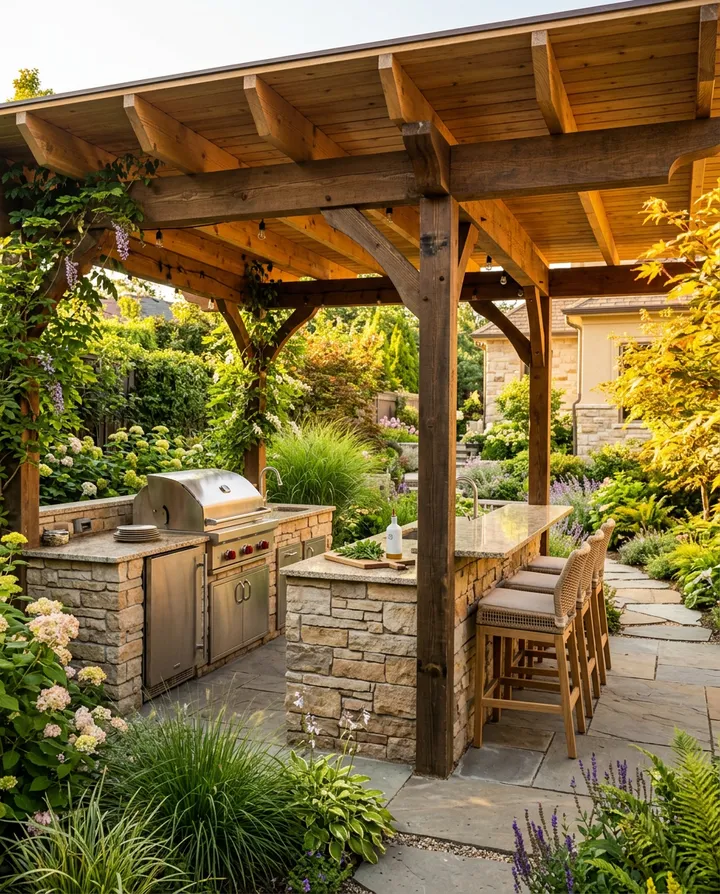
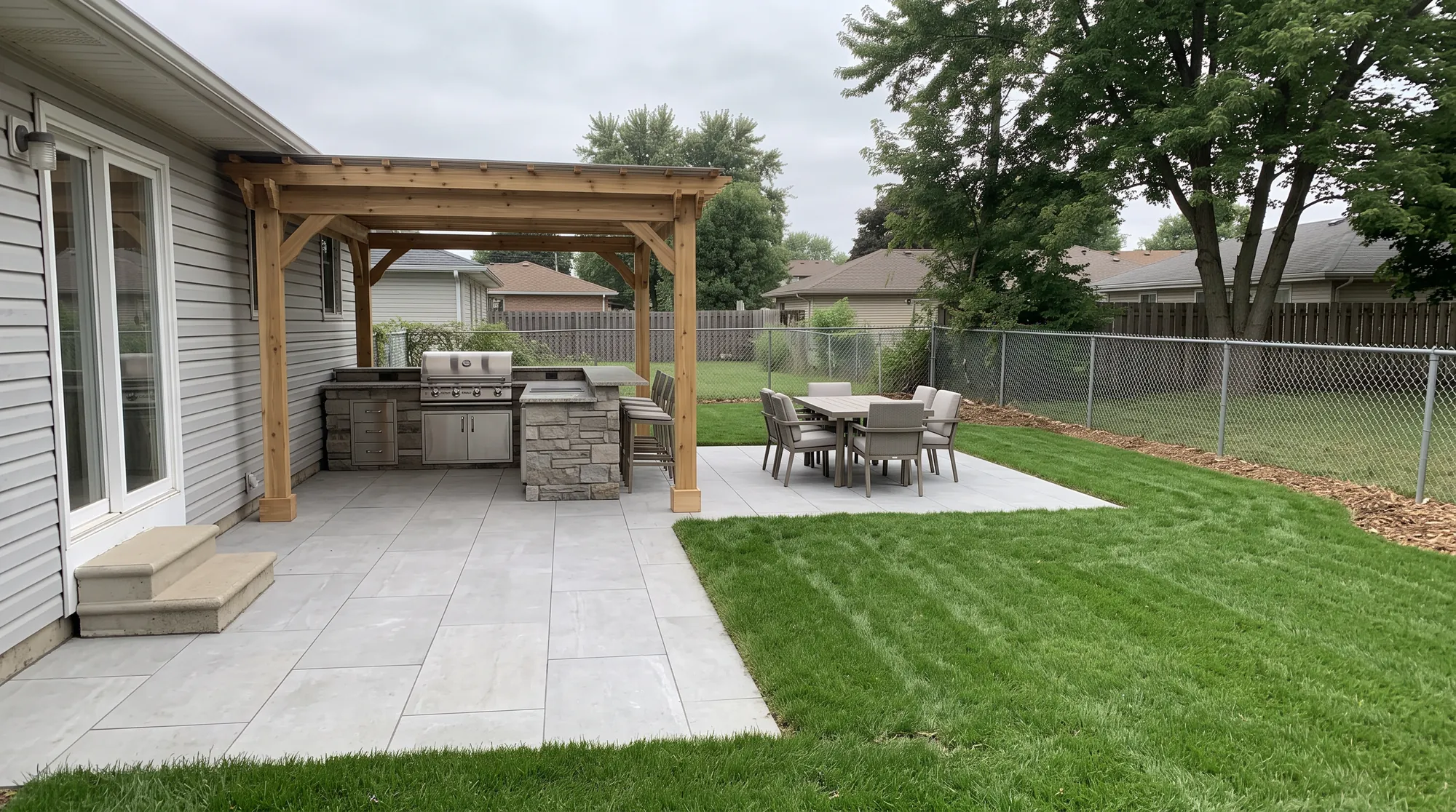
  • An outdoor kitchen with a stone grill island under a timber pergola Outdoor kitchens
  • A natural stone retaining wall with wide stone steps up to a paver terrace Hardscape and walls
  • A horizontal cedar fence and gate at dusk with path lights along a gravel path Fences and lighting
  • Landscaping
  • Pools and spas
  • Hardscape and walls
  • Outdoor kitchens
  • Decks and pergolas
  • Fences and gates
  • Lighting
  • Irrigation

One photo of the yard, every trade you sell

Pick a trade. The same backyard comes back designed for it, in about 30 seconds each. Drag the line to compare it with the photo.

Place the pool, spa and deck in their real yard, then price every line from your own list.

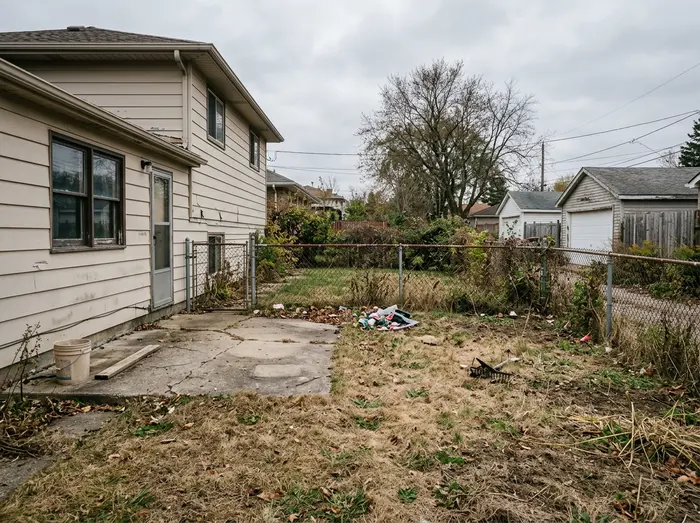
The backyard as photographed: patchy lawn, a cracked concrete slab and an old chain-link fence
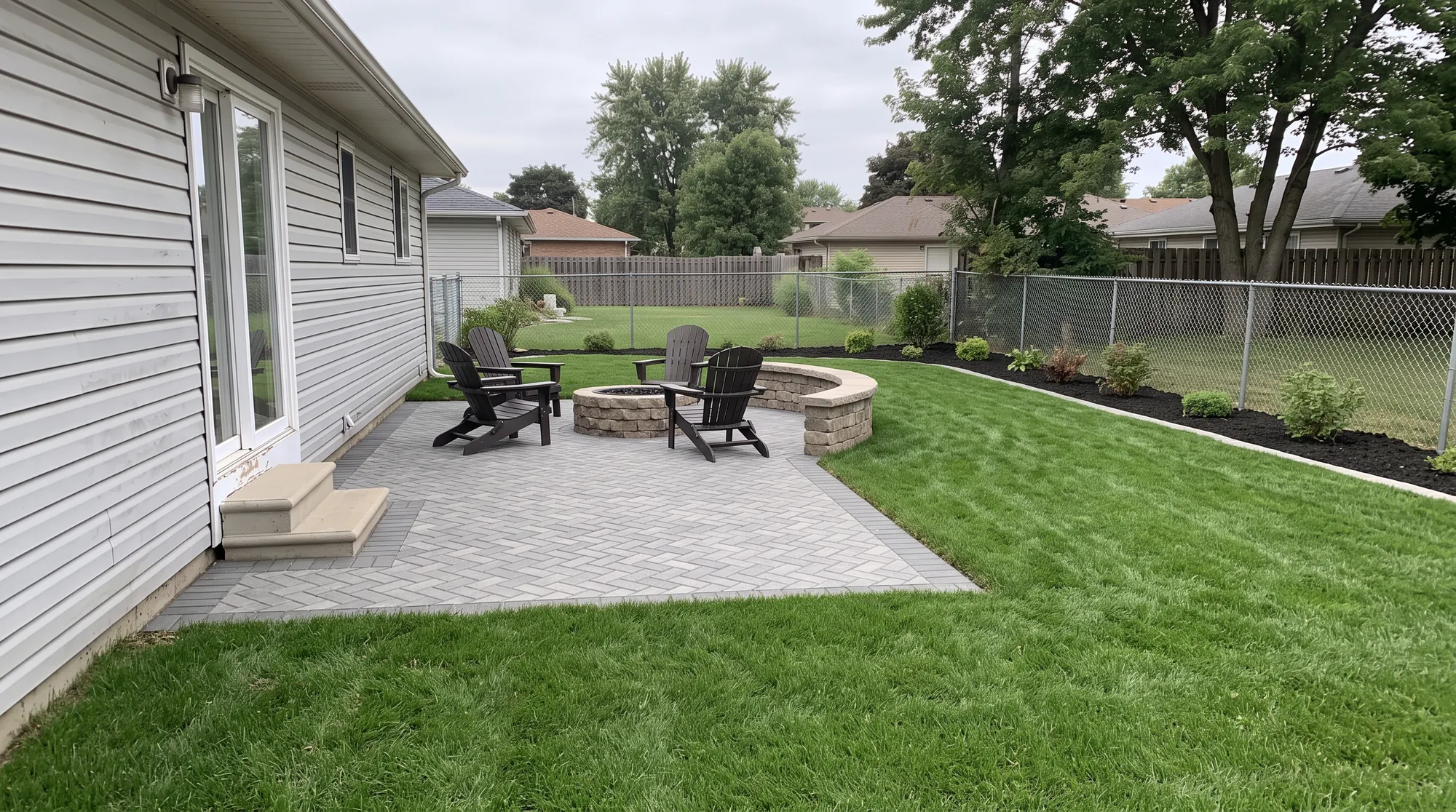
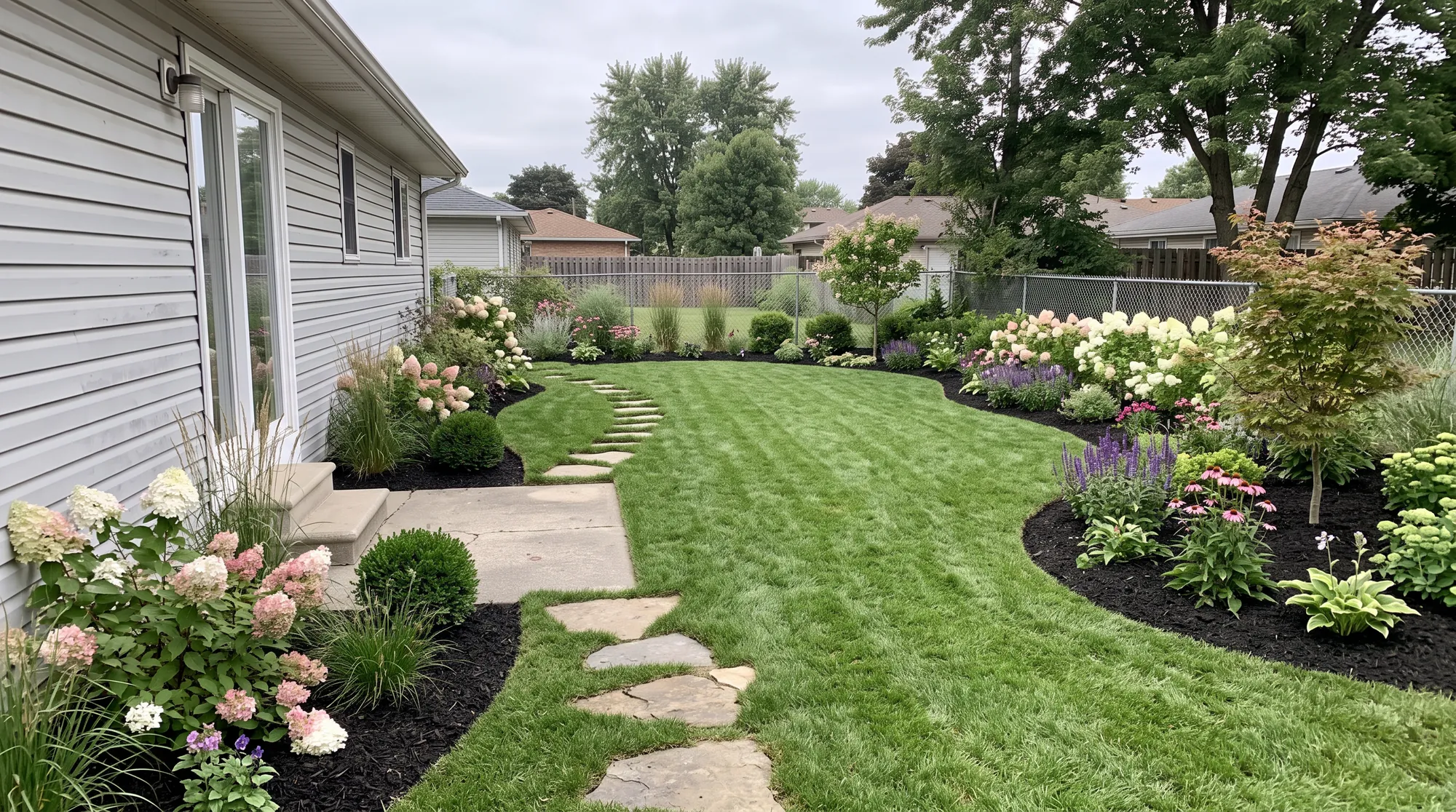
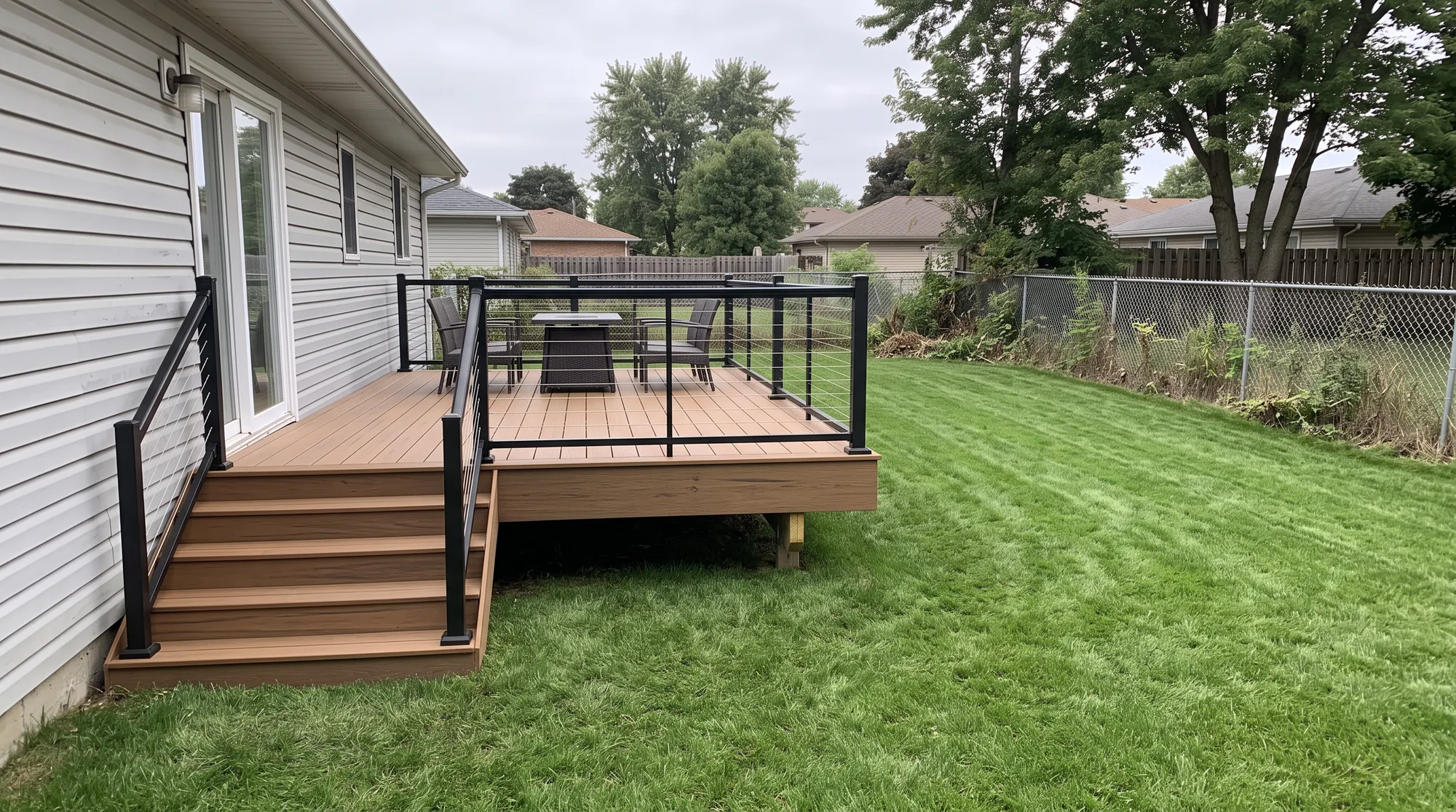
The same backyard with a new in-ground pool, raised spa, travertine deck and a black aluminium pool fenceThe same backyard with a grey herringbone paver patio, a stone fire pit and a seat wallThe same backyard with an outdoor kitchen and grill under a cedar pergola on a porcelain patioThe same backyard with a new lawn, deep planting beds of hydrangeas and grasses, and a stepping-stone pathThe same backyard with a new horizontal cedar privacy fence and gate in place of the chain-linkThe same backyard with a raised composite deck, black cable railing and wide stairs to the lawnThe same planted backyard at dusk with path lights, uplit trees and warm light on the house

Quotes priced from your own list. The same list prices every design.

Compare the two plans

Updates prices from your spreadsheet

Paste rows or upload a CSV and check the matches once. Next season, the same list goes through in one step.

Fits a design to the budget

The takeoff shows what is left of the homeowner's budget, and Make it fit sizes the work down to that number.

Surveys the site from its address In development

Type the address to get the satellite view and the slope to measure on, before anyone drives out.

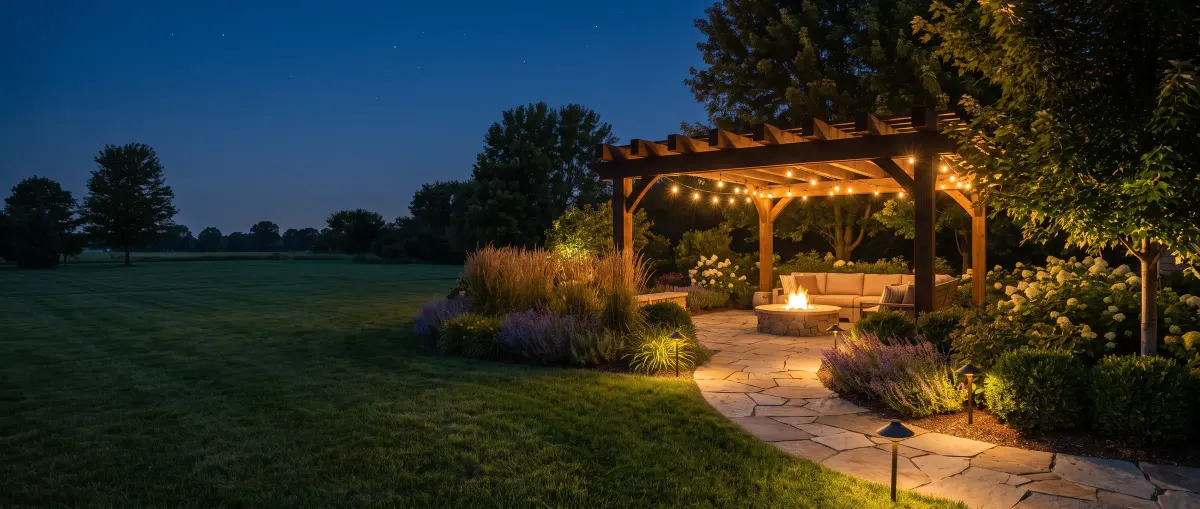
Shows the design at night with the lights on

The same space by day or after dark, so the homeowner sees what the path lights and string lights add.

A design button for your own website

Homeowners upload a photo of their property, see a design and leave their details. Each one lands in GroundKit as a new lead with the photo attached.

  • Your colours and your price list behind it
  • Leads arrive with the photo and the picks
  • Bulk actions to sort and assign new leads
See which plan includes it

Present the designs on your laptop or their TV

Present mode plays each before and after as a reveal, full screen, on its own or with the arrow keys. Settle the design at the kitchen table, not a week later by email.

  • Show the work, not the paperwork
  • Reveal clips to send or post: the before photo turning into the design, with your logo at the end
  • The same projects on your own portfolio page
See the proposal and approval
  • A finished pool and spa
  • A finished outdoor kitchen
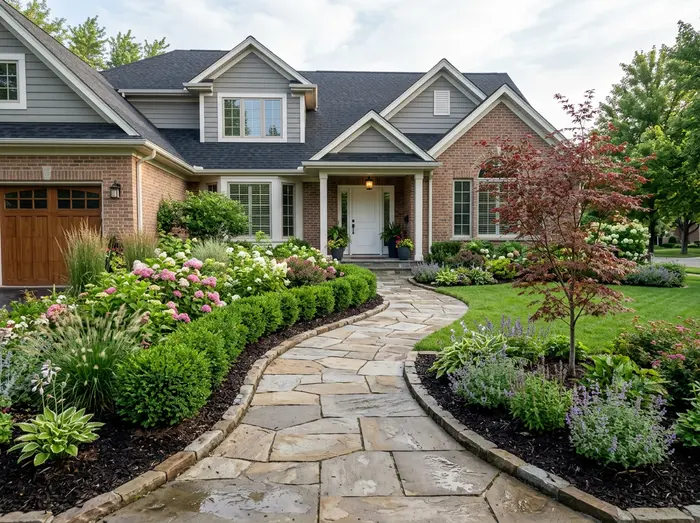
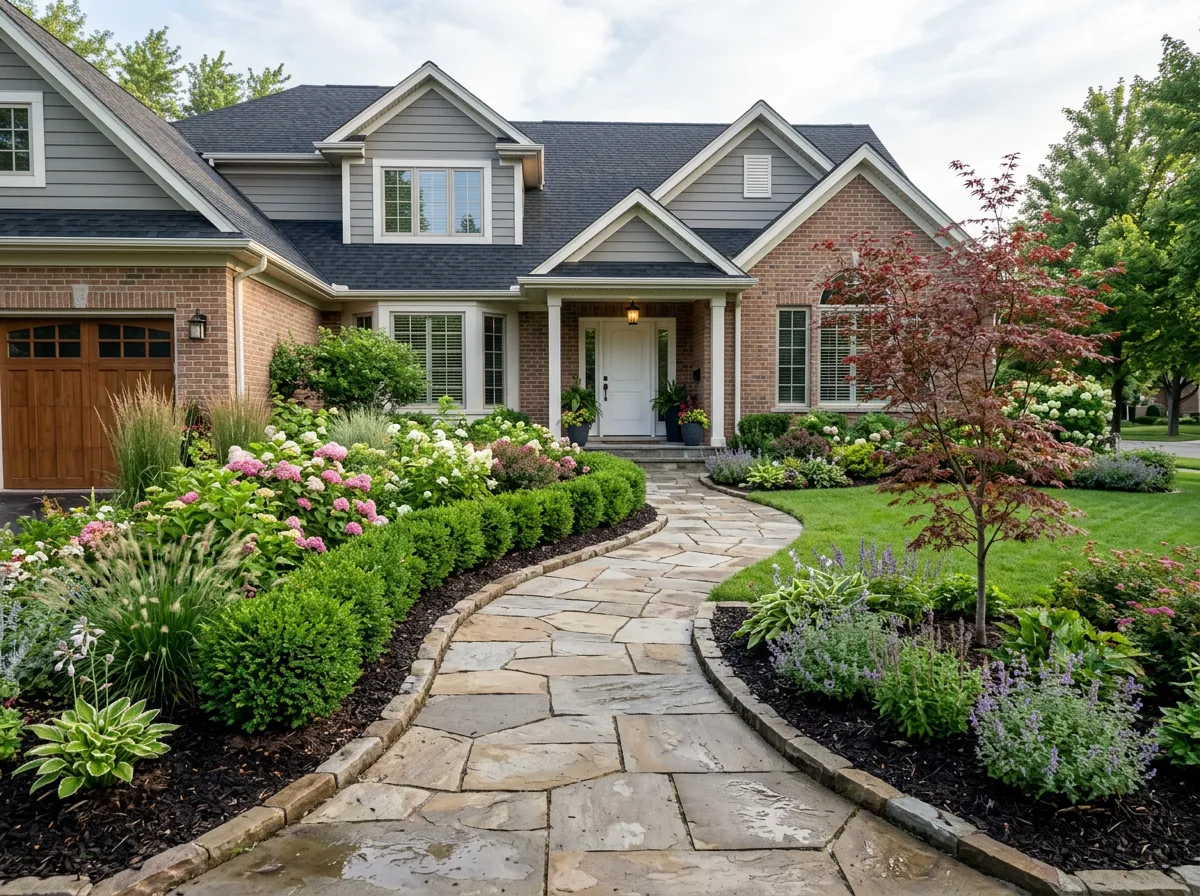
  • A finished front garden

Proposals your homeowners approve online

Send one private link under your logo. The homeowner sees the before and after, the plan and the price, comments and approves the exact design they were shown.

  • See when they open it and which option they look at
  • Print it as a PDF, with or without prices
  • Team roles for owners, designers and viewers
Compare the two plans

Your brand, not ours

Everything your homeowner sees carries your logo, your colours and your company name: the design link, the approval page, the design button on your website and the PDF proposal.

  • No “made with” line, unless you choose to show one
  • On the Pro plan, the client pages run on your own domain, such as design.yourcompany.com
  • Your crew works in GroundKit; your homeowners only ever see you
See which plan includes it

Pricing

Monthly software plans for landscaping, pool and hardscape companies, each with a monthly design allowance and team seats.

Solo

For owners who sell from the picture

$74/month

billed $890 yearly

Book a demo

50 designs a month 1 seat

  • Easy designer: photo, style and picks to three finished designs
  • 27 styles and 3 kinds of light
  • Change a part: circle it and say what to change (each edit counts as a design)
  • Picks from your own list
  • Website design button: 20 lead designs a month
  • Homeowner link with change marks and online approval
  • 3 AI videos a month: the design comes alive, trees sway and water moves
  • Unlimited motion clips: a slow zoom, a pan or a before and after reveal
  • Portfolio and Present mode
  • Your logo and colours on everything
Most popular

Crew

For design-build firms that quote

$158/month

billed $1,890 yearly

Book a demo

200 designs and 700 edits a month 5 seats

  • Everything in Solo, plus:
  • Easy and Advanced designersQuick picture designs, or place every element on the photo, measure it and price it
  • Plan sketch drawn from the photo
  • Your own price list, with measured takeoff and budget
  • Proposals as PDF, with or without prices
  • Website design button: 50 lead designs a month
  • 10 AI videos a month
  • View tracking
  • Bulk actions on jobs

Pro

For multi-crew firms that present big projects

$283/month

billed $3,390 yearly

Book a demo

600 designs and 900 edits a month 10 seats

  • Everything in Crew, plus:
  • 20 AI videos and 20 4K showpiece renders a month
  • Website design button: 100 lead designs a month
  • Your own domain for client pages (design.yourcompany.com)
  • Your real products and reference photos in designs In development
  • Aerial plans from drone or satellite In development
  • Priority support

Need more designs? Add a pack

Extra designs for the Solo and Crew plans, up to 2 packs a month. Buy them from your account.

25 designs $29 $1.16 each
Best value 100 designs $99 $0.99 each
  • Set up for you by our team
  • Cancel any time
  • Your logo and colours on everything

Questions

What outdoor contractors ask before a demo.

Ask your own question
A garden drawn in pencil on one side, built and planted on the other

Does GroundKit work on a phone on site?

Yes. It runs in the browser on phones, tablets and laptops, and takes the photo from the camera.

Can I use my own prices?

Yes. Start from the built-in list of 127 elements, change any price or update the whole list from your spreadsheet.

Which countries and units does it support?

The US, Canada, the EU, the UK and Australia, in feet or metres and your own currency.

Will my customers see your name?

No. Every page and PDF they see carries your brand.

Do homeowners need an account to see a design?

No. They open a private link on your company's page, which you can revoke.

What does the AI change in the photo?

Only the outdoor space. The house, what you keep and the sky stay as taken.

Does changing a part count as a design?

On Solo, yes: each edit counts as one design. Crew and Pro have a separate edit allowance, 700 a month on Crew and 900 on Pro.

What is the difference between AI videos and motion clips?

An AI video is a short clip where the design comes alive: trees sway and water moves. A motion clip is a slow zoom, a pan or a before and after reveal of the design. Motion clips are unlimited on every plan.

What if we run out of designs?

On Solo and Crew, add a pack of 25 designs for $29 or 100 designs for $99, up to 2 packs a month.